
A new Dashboard, and calls that go out on the right line
Also in this release: the Suggestions page now lives on the Dashboard, workflows can loop back and update deals, custom fields can show only when they apply, and new filters for equity and listings.
A new Dashboard
Section titled “A new Dashboard”Your home page is one list of the people who need you today, with alerts on top, a Work through button that takes them one at a time, and your meetings and tasks on the right. Admins can switch between Mine and Team. The Suggestions page moved here, under Waiting on your review, and its old links still work.
Workflow Enrollment is the new name of the Workflow Runs filter
Section titled “Workflow Enrollment is the new name of the Workflow Runs filter”The contact filter for who is in, finished or stopped a workflow is now called Workflow Enrollment and sits under Follow-Up & Activity. Saved filters that use it keep working.
Pick the line a call goes out on
Section titled “Pick the line a call goes out on”If you call from more than one number, the contact card and deal now show which one a call will use, preferring a line the contact already knows or one local to them, and one tap changes it. The text box also starts on the line the contact last used with you.
Workflows can loop back and update deals
Section titled “Workflows can loop back and update deals”A new Go to step sends a contact back to an earlier step, for a check-in that repeats every few months. A new Update deal step moves all of the contact’s open deals on a board to a stage, or archives them, and the old Deal step is now called Create deal.
Stop or resume a workflow from the lead
Section titled “Stop or resume a workflow from the lead”The Workflows list on a contact or deal has a Stop button beside Pause and Resume, so a stopped workflow can be started again from step one. A workflow you turned back on now offers to resume the contacts its pause left waiting.
Who gets new leads
Section titled “Who gets new leads”Admins can set Lead routing in Settings, then Organization: just you, split evenly between people, or one person. Other teammates see it read-only. Skip trace workflows and AI employee hand-offs can follow it.
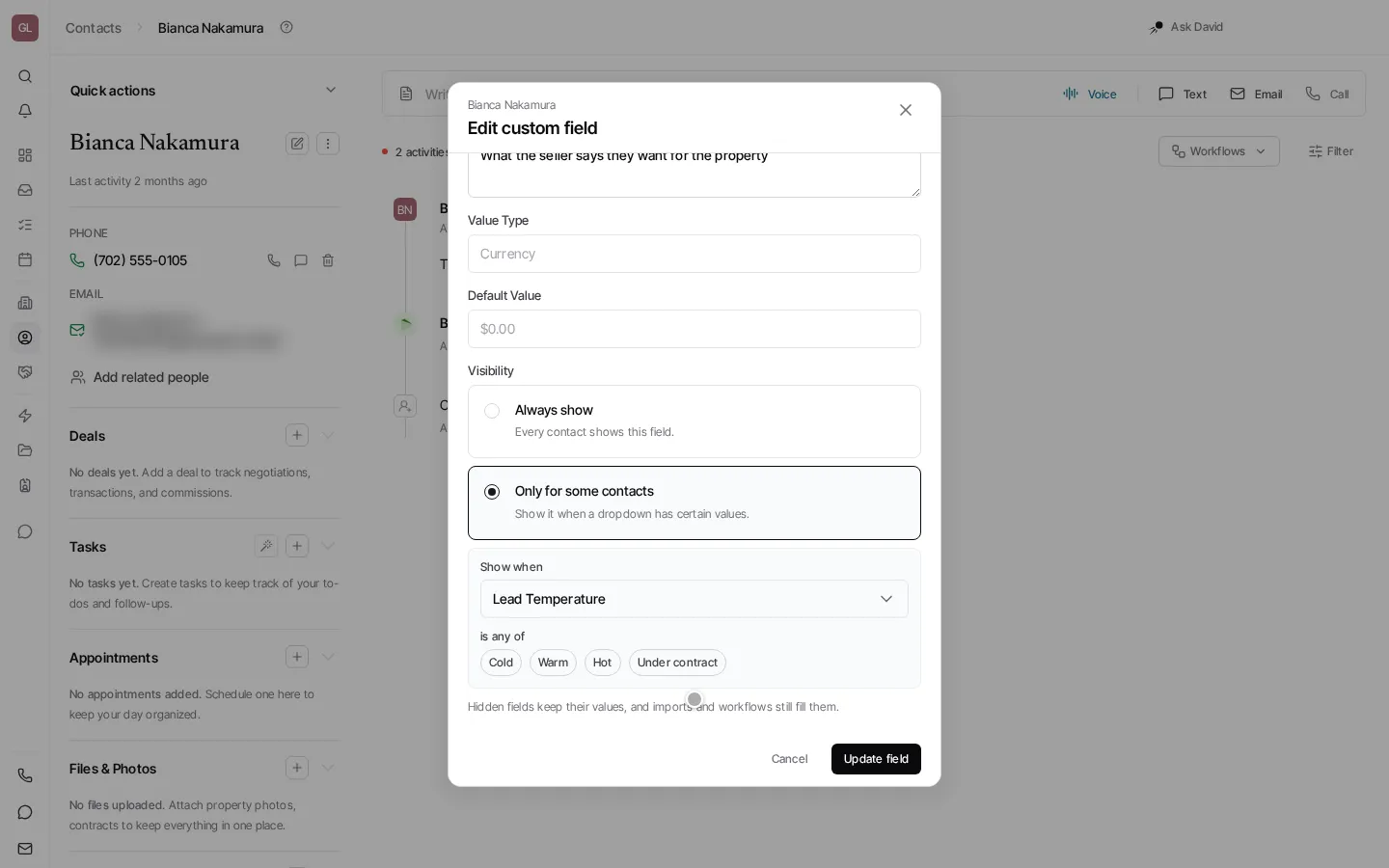
Custom fields that show only when they apply
Section titled “Custom fields that show only when they apply”A contact field can show only when a dropdown has certain values, so a tax ID appears for a business and a birthday for a person. Set it under the field’s Visibility.
Date filters that roll forward
Section titled “Date filters that roll forward”Date filters on contacts and properties read as a sentence, such as in the last 30 days or more than 6 months ago, and most show quick picks and a line saying what they match today. Last sold and acquired dates can also include records with no date.
New filters for equity and listings
Section titled “New filters for equity and listings”Filter properties by dollars of equity, and contacts by 15 Zillow listing details such as for sale by owner, for rent by owner and removed listings. A built-in Upcoming auctions view lists contacts with an auction in the next 30 days, soonest first, ready to dial.
Add several phone numbers at once
Section titled “Add several phone numbers at once”The Add a phone number dialog lets you pick several new numbers to buy for a teammate in one go, and admins can claim or transfer several existing ones at once.
Import from any tab of a spreadsheet
Section titled “Import from any tab of a spreadsheet”When an Excel file has more than one tab, the contact import asks which tab to load.
Faster alerts, and no mail to dead inboxes
Section titled “Faster alerts, and no mail to dead inboxes”A text or missed call from a lead now texts you right away instead of waiting for the 10 minute digest. An email address that hard bounces is marked on the contact and skipped by later sends until that person writes back.