
Create a Deal
Start from a selected pipeline
Section titled “Start from a selected pipeline”Choose a pipeline before creating a deal. New Deal is available on the Deals toolbar once a pipeline is selected. Board-stage Add Deal controls also start a deal for that stage.

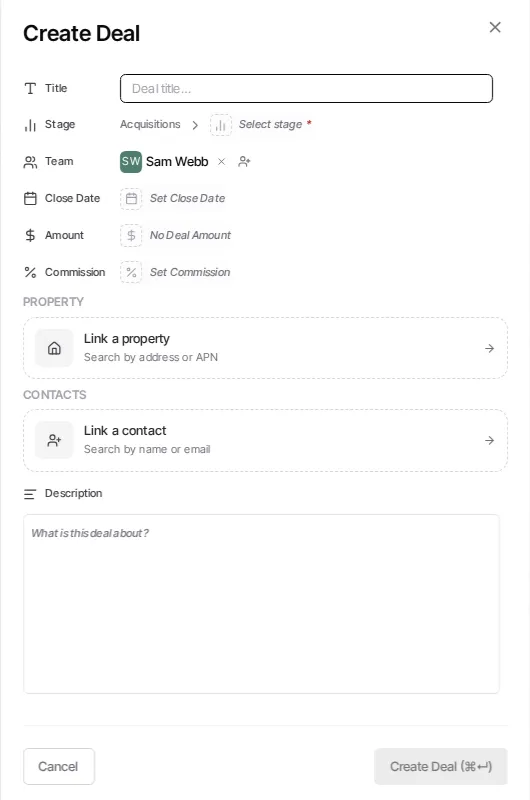
- Open Pipelines and select the pipeline where the deal belongs.
- Select New Deal, or choose Add Deal on the appropriate board stage.
- Enter a deal title.
- Review the Pipeline and Stage, then add the information you have: team, close date, value, commission, custom fields, properties, contacts, and description.
- Select Create Deal.
The selected pipeline controls the available stages and its custom fields. You can change the pipeline while editing; choose a valid stage in the new pipeline before saving.
After creation
Section titled “After creation”Open the new deal to add related work, files, contacts, or properties later. Move it by changing its stage in the record or by dragging it to another stage in Board view.
Related guides
Section titled “Related guides” Ask Goliath Reading: Create a Deal