
SMS carrier compliance

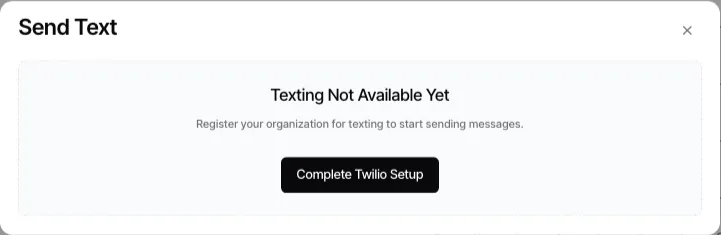
Carrier registration and recipient consent are separate requirements. Your organization must have the appropriate carrier setup to send from its lines, and it must send only messages it is permitted to send.
Set up the sending account
Section titled “Set up the sending account”For Goliath-managed US texting, use the organization menu → Phone → Registration to start, retry, and monitor A2P registration. The Registration panel is the source of truth for carrier status; the full wizard is only available when the current status permits it.
Organizations using their own Twilio credentials follow a different path: connect the Twilio account, select its campaign, and choose the numbers that Goliath may use. See Bring your own Twilio account.
Respect consent and opt-outs
Section titled “Respect consent and opt-outs”Before initiating outreach, make sure you have a lawful basis to contact the recipient and that the message accurately identifies the sender. Honor an opt-out promptly. In Goliath, a phone number marked SMS-suppressed is not an eligible default recipient in the text composer.
Do not treat carrier approval as permission to ignore a recipient’s request to stop. Registration establishes the sending program’s carrier path; it does not replace your organization’s consent, disclosure, or recordkeeping responsibilities.
Diagnose a blocked text
Section titled “Diagnose a blocked text”- Confirm that the recipient has an eligible mobile number.
- Confirm that the selected sender line can send SMS in the organization menu → Phone → Numbers.
- Review managed-registration or connected-Twilio status in the organization menu → Phone → Registration.
- Check whether the recipient number is suppressed.
For a practical sending workflow, see Sending text messages.