
How Do I Enrich Contacts?
Before you start
Section titled “Before you start”Enrichment is a credit-consuming action. The available option and final confirmation depend on the contact having an eligible mailing or property address. Do not start an enrichment request until you have reviewed the credit prompt.
Enrich one contact
Section titled “Enrich one contact”-
Open the contact and choose Enrich
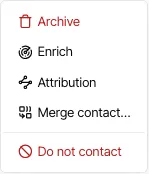
In the contact record, open More in the header, then select Enrich.
-
Choose an address if Goliath asks you to
When more than one eligible address is available, choose the mailing or property address you want to use. The confirmation view shows the credit cost before the request is submitted.
-
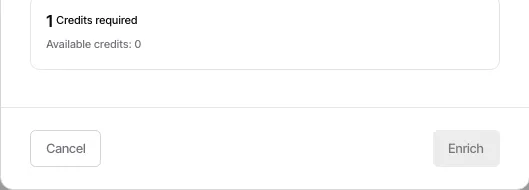
Review the credit prompt before confirming
Verify the address and credit cost. Select the final confirmation only when you are ready to spend the credit and start the request.
Enrich contacts in bulk
Section titled “Enrich contacts in bulk”From the contacts table, select the contacts you want to work with, open More, and choose Enrich. The bulk flow asks you to choose an address preference and shows the credit cost before you submit the request. Use a small, well-filtered group when you want to review the expected cost first.
Where to find results
Section titled “Where to find results”After a completed request, open the contact record and review its contact details. The exact results depend on the information available for the selected address.