
Manage a Deal Record

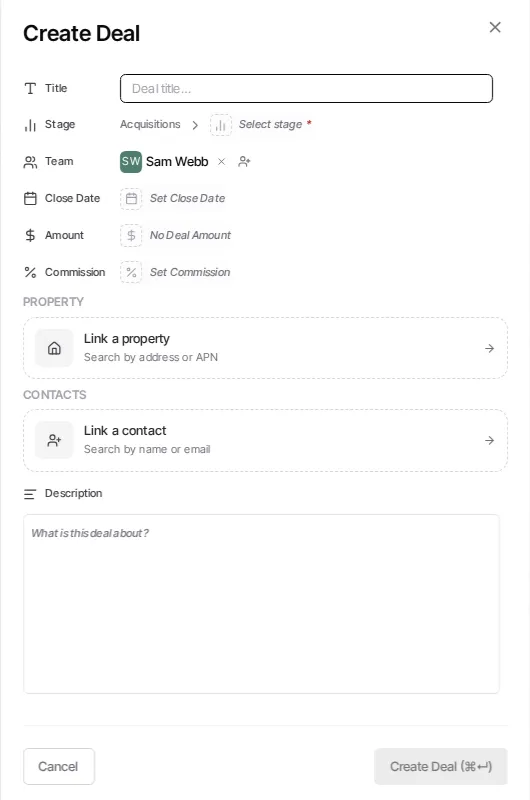
Open a deal
Section titled “Open a deal”Select a deal in Pipelines to open its record. The record is a page with breadcrumbs back to the selected pipeline, so use the breadcrumb or close action to return to the board or list.
Update the deal
Section titled “Update the deal”- Open the deal from Board or List view.
- Edit the title, pipeline and stage, team, close date, value, commission, custom fields, properties, contacts, or description as needed.
- Save the changes when the record presents a save action.
Changing the pipeline reloads the available stages because stages belong to one pipeline. Use the deal’s Contacts and Properties controls to manage the records linked to the deal.
Add related work
Section titled “Add related work”An opened deal supports notes, tasks, and files. Notes are entered in the deal’s Notes area; calls, texts, and emails are logged automatically in its communication activity. Use Files to add, rename, or remove deal attachments.
Archive, delete, or run a workflow
Section titled “Archive, delete, or run a workflow”The deal’s overflow menu offers Start contact workflow (once the deal has a linked contact), Trigger deal workflow, Archive Deal or Unarchive Deal, and Delete Deal. See Trigger Workflows on Deals for the two workflow actions. Archive keeps the deal record but removes it from normal active work; deletion is a separate destructive action and should be used only when the record should be removed.