
Get a phone number
Before you start
Section titled “Before you start”An organization needs an eligible plan before it can add managed phone numbers. Organization administrators manage number purchasing and imported Twilio accounts.
Add a managed number
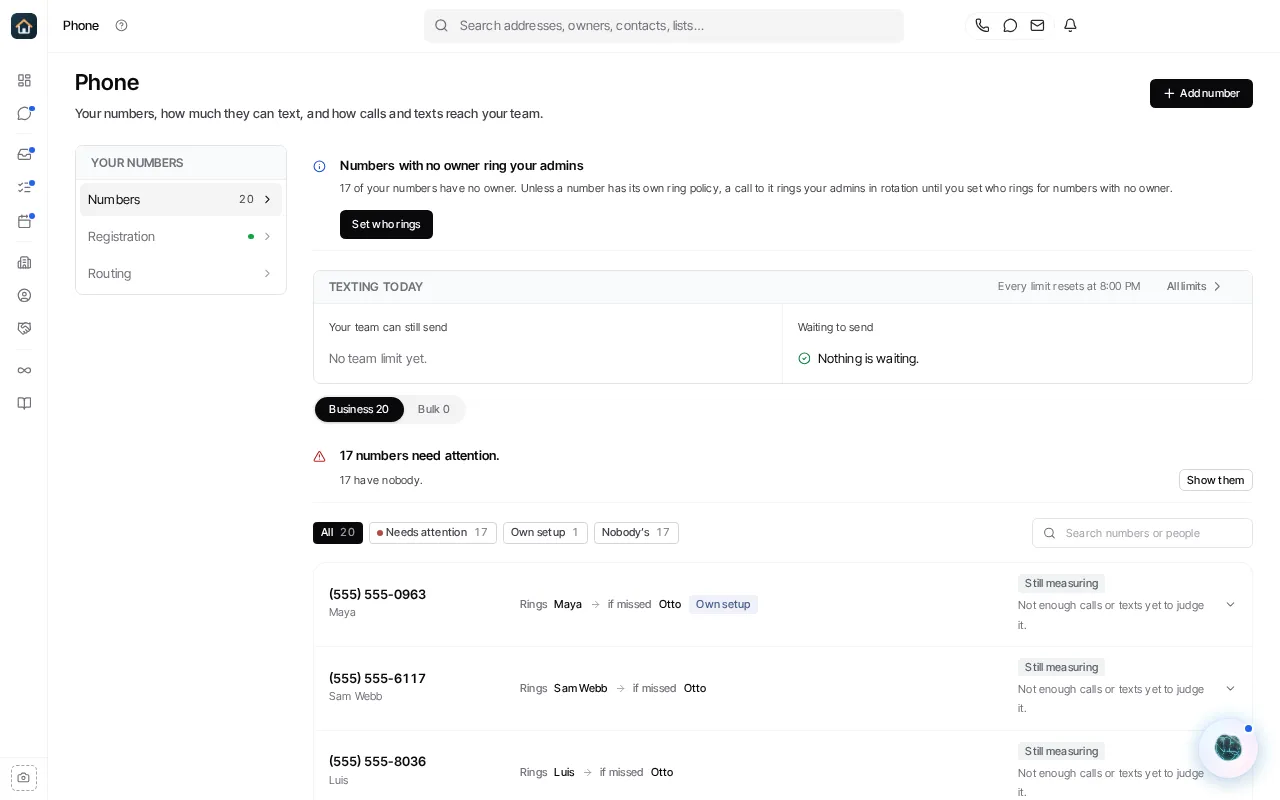
Section titled “Add a managed number”- Open the organization menu → Phone and select the Numbers panel.
- Select Add number.
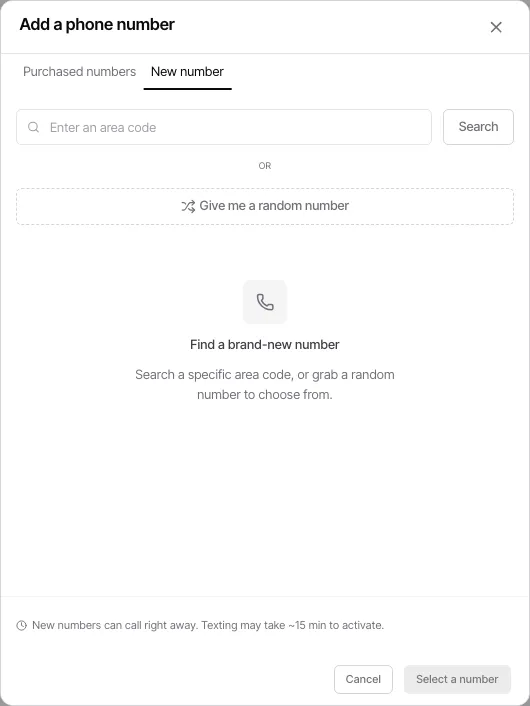
- Complete the add-number flow and confirm the number you want for the organization.
- Return to the Numbers panel to confirm that the line is present and inspect its owner and capability status.
- Assign the line to a teammate from the organization menu → Organization → People if it is intended for an individual sender.
What to do next
Section titled “What to do next”- A number must be available to the appropriate teammate before it can be used as that person’s normal calling or texting line.
- For managed US texting, complete the organization’s A2P registration from the organization menu → Phone → Registration. The Registration panel shows the current carrier status and the next available action.
- Use the organization menu → Phone → Routing to set inbound-contact defaults and choose how outbound text replies and calls select a line.
If you already own numbers in Twilio, do not buy duplicates. Use Bring your own Twilio account instead.
Ask Goliath Reading: Get a phone number