
Inbound Response Workflows
Use a workflow when you want an automated response or follow-up process that your organization can review and control.

Choose the right entry point
Section titled “Choose the right entry point”- A form (in Library, under Forms) can create or update a contact and start selected live contact workflows for every submission.
- A contact workflow can start from the trigger you configure in its editor.
- An event workflow can be started by a webhook or a connected integration payload.
- Connected lead-producing integrations may offer Lead handling in their integration settings. This creates and binds a starter event workflow; configure that workflow before relying on it.
The exact triggers and steps that appear in the builder depend on the workflow domain and your organization’s enabled capabilities. Build the response in the editor rather than assuming an inbound message, call, or form trigger exists for every workflow type.
Build a reliable auto-response
Section titled “Build a reliable auto-response”- Create a workflow for the record source you are automating.
- Configure the source trigger or bind the workflow from the form or integration that produces the lead.
- Add the response steps your process needs, for example, assignment, a task, a message, a wait, or a condition.
- Test with a controlled record and inspect the run activity.
- Activate the draft only after the trigger and sender configuration are ready.
For text or email, confirm that your organization has an appropriate sending identity and that the message copy and consent process meet your own compliance requirements. The toolbar of the Workflows tab in Automations shows how many texts your team has left today when Goliath knows its limit; select it to see the team’s limit and each number’s.
When a form should start the response
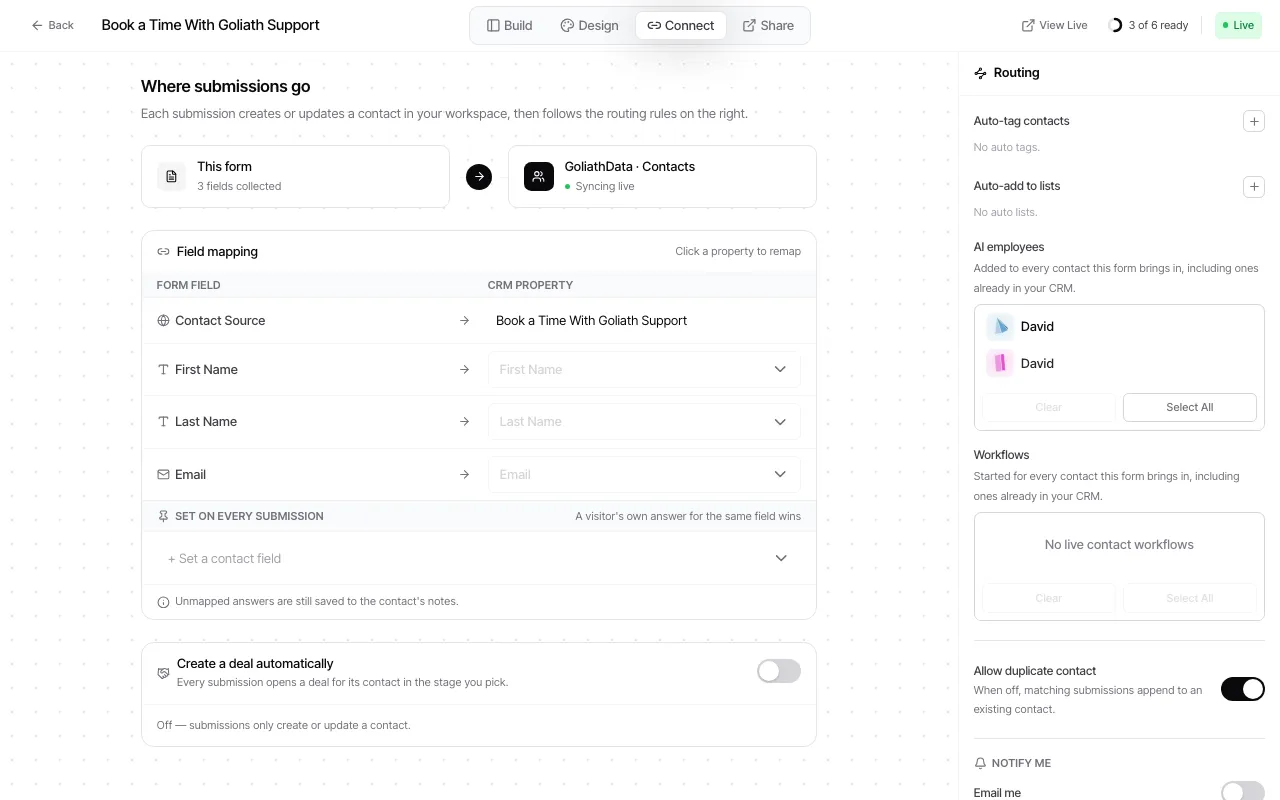
Section titled “When a form should start the response”In the form builder’s Connect step, select one or more live contact workflows. Goliath starts each selected workflow for every contact the form brings in, including a contact already in your CRM. The workflow’s own trigger predicate is not used for this form enrollment, so choose only workflows designed for form-originated leads. A paused workflow remains visible in the selection with a status warning and will not run until resumed.
See Create a form and Workflow lifecycle for the related setup.