
Library
Library keeps everything your team works from in one place: your own and your team’s files, the pages Goliath builds for you, templates, contracts, forms, direct mail, lookup tables, and every upload, download and conversation record. Open Library from the main sidebar.
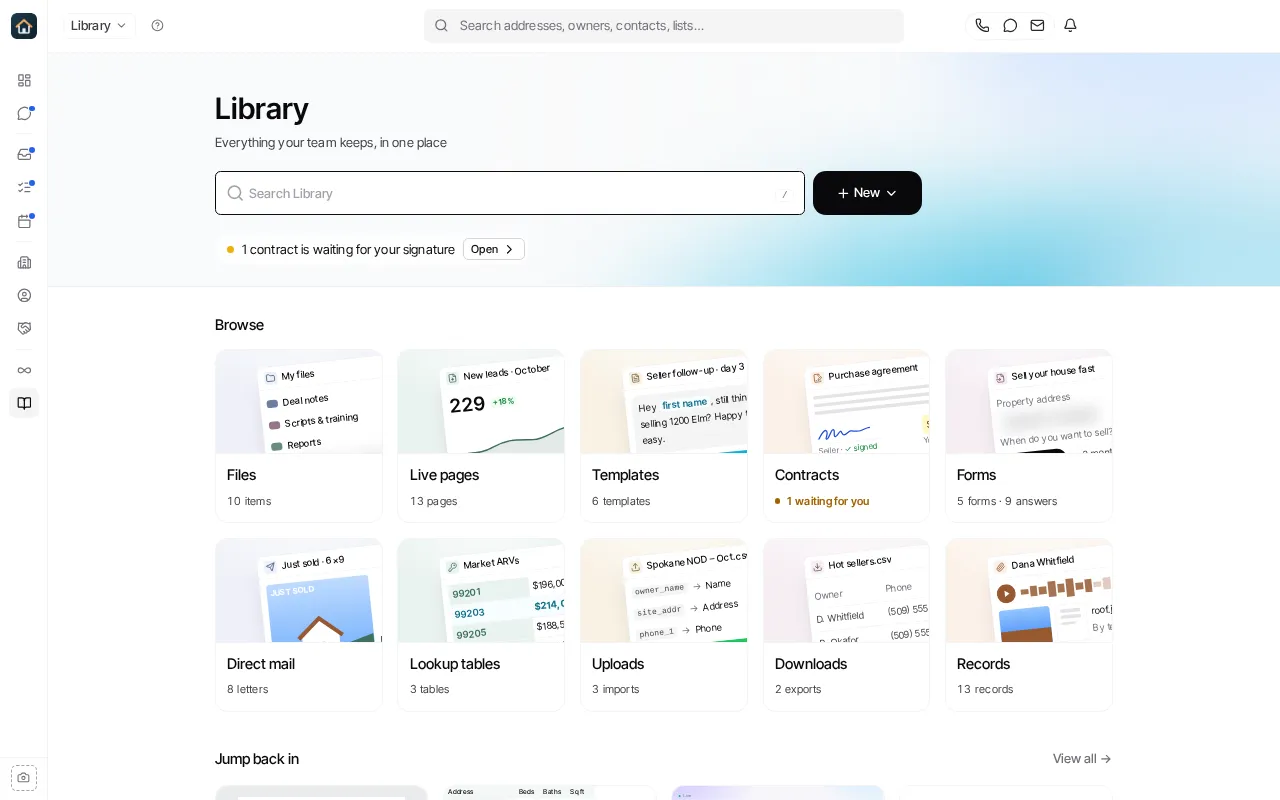
Library’s sections
Section titled “Library’s sections”Hover Library in the main sidebar to see its sections, or open the Library menu at the top left of any Library page to jump to one. That menu has a Go to… filter: type part of a section’s name and press Enter.
| Group | Section | What it holds |
|---|---|---|
| Files | Files | My files and Team files: folders, documents, spreadsheets and anything you upload. |
| Files | Live pages | Reports and dashboards Goliath built for you from your data. |
| Library | Templates | Text, email, note, task and task set templates. |
| Library | Contracts | Contract templates built from your PDFs, and the contracts sent from them. |
| Library | Forms | Lead intake forms and their submissions. |
| Library | Direct mail | Letters your workflows mailed, and where each one is now. |
| Library | Lookup tables | Values a workflow looks up per contact or market. Organization admins only. |
| Data | Uploads | Every list you imported, and what it came to. |
| Data | Downloads | Every export, ready to download again. |
| Data | Records | Photos, documents, calls and voicemails from your conversations. |
The Library home page
Section titled “The Library home page”From top to bottom, Library’s home page shows:
- Search Library: one search over everything in Library. Press
/anywhere in Library to jump to it. - New: start something new (below).
- A Needs you line, only when something waits on you: a contract waiting for your signature, an upload to finish, or a letter that didn’t send. Select Open to deal with it.
- Favorites: anything you starred, when you have starred something.
- Browse: one card per section, with how many items it holds. Select a card to open the section.
- Jump back in: what you and your team opened or changed last. View all opens the full list by day, which you can narrow by kind and to Mine or Team.
Start something with New
Section titled “Start something with New” 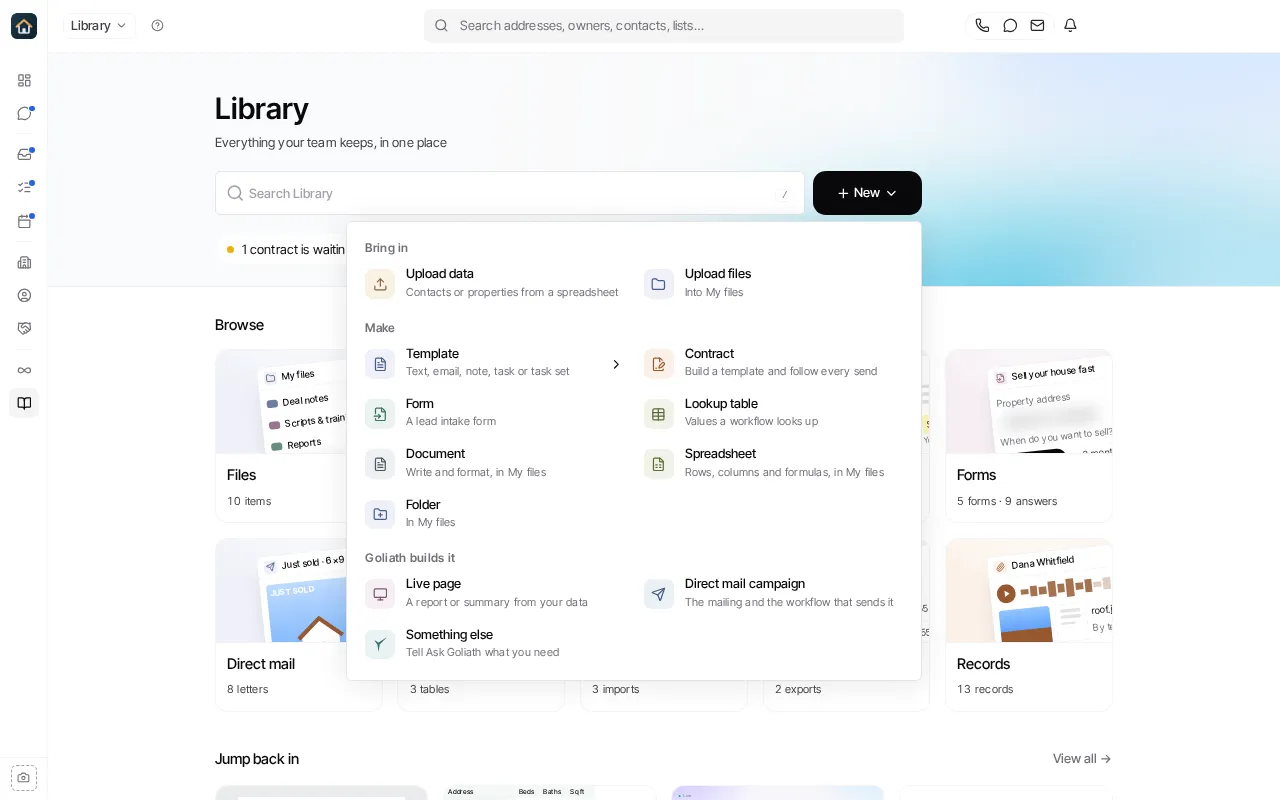
| Group | Choice | What happens |
|---|---|---|
| Bring in | Upload data | Opens the import for contacts or properties from a spreadsheet. See Uploads. |
| Bring in | Upload files | Uploads files from your computer into My files. |
| Make | Template | A text, email, note, task or task set template. See Templates. |
| Make | Contract | Opens Contracts, where you build a contract template. |
| Make | Form | Opens Forms, where you build a lead intake form. |
| Make | Lookup table | Opens Lookup tables (organization admins). |
| Make | Document, Spreadsheet, Folder | Created in My files. |
| Goliath builds it | Live page | Asks Goliath for a report or summary from your data. See Live pages. |
| Goliath builds it | Direct mail campaign | Asks Goliath to set up a letter campaign and the workflow that sends it. |
| Goliath builds it | Something else | Opens Ask Goliath so you can describe what you need. |
Where the old pages went
Section titled “Where the old pages went”These pages moved into Library. A saved link to the old Files page or to Content Templates opens its Library section.
| Before | Now |
|---|---|
| Files (uploads and downloads) | Library → Uploads and Library → Downloads |
| Automations → Content Templates | Library → Templates |
| Automations → Forms | Library → Forms |
| Automations → Tables | Library → Lookup tables |
| Automations → Letters | Library → Direct mail |
Ask Goliath Reading: Library