
Manage referral partners
Open the organization menu → Organization → Partners. This section lists cross-organization partnerships used to send and receive contact referrals. An invitation link opens this section directly, even though the Organization page normally opens on Profile.

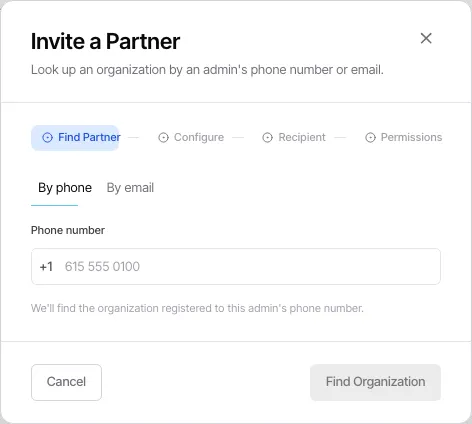
Invite a partner
Section titled “Invite a partner”Select Invite a partner and complete the invitation dialog. The partner appears in the table according to its current invitation or partnership status. Use the section to review active and pending relationships rather than assuming an invitation was accepted immediately.
Work with the partnership list
Section titled “Work with the partnership list”The Partners section is the organization-level record of the relationships you have established. It is for referral partnerships, not a way to give another organization unrestricted access to your workspace.
Open the relevant contact or deal workflow when you need to act on a referral; the Partners section does not replace the underlying record’s history or ownership.
Access and related settings
Section titled “Access and related settings”Members can view the Organization page, while edit controls are restricted to organization administrators. If the invitation action is unavailable, ask an administrator to manage the partnership.
For team and member administration, see Manage people and Manage teams.