
Control a record's other workflow enrollments
The current customer workflow editor has an Enrollment setting that controls what happens to a record’s other workflow enrollments. It is not a customer-facing repeat-enrollment policy for the same workflow.
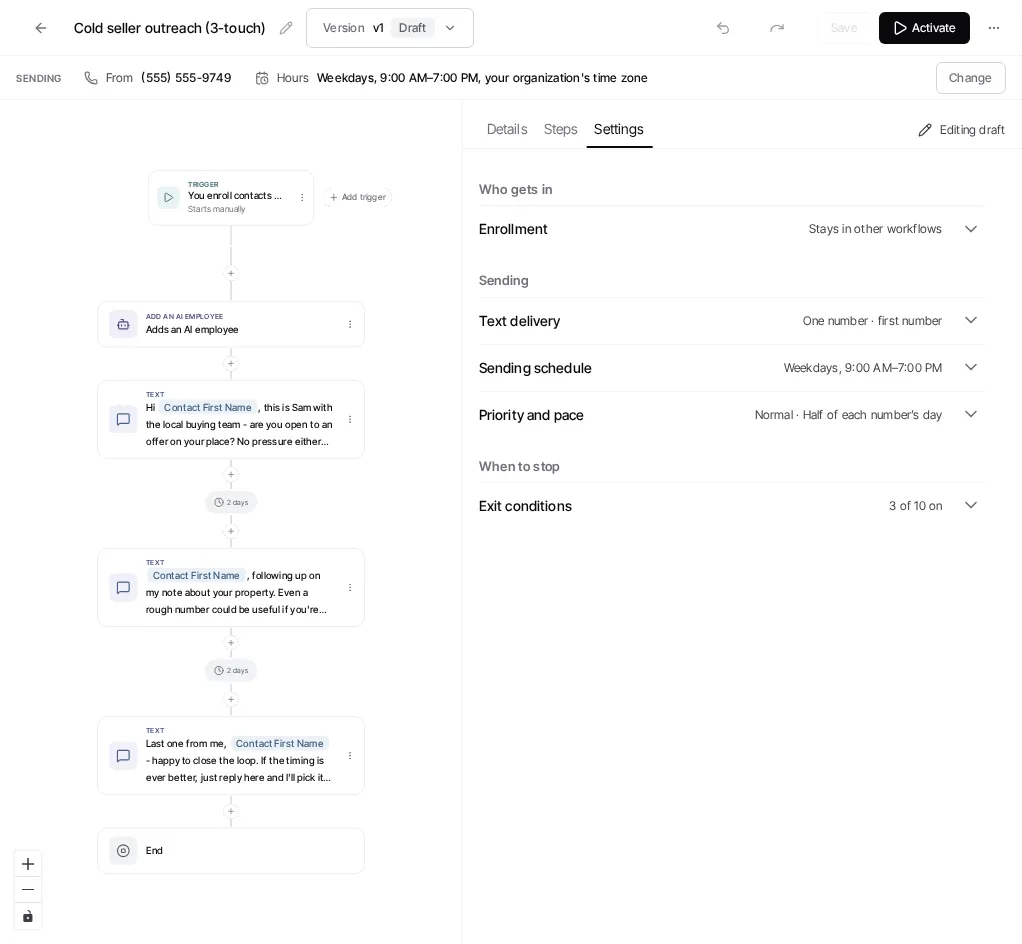
Choose whether to leave other workflows
Section titled “Choose whether to leave other workflows”- Open the workflow’s draft and select Settings.
- Open Enrollment.
- Turn on Unenroll from other workflows if a record should leave any other workflow it is currently attached to when it enters this one.
- Save the draft and make that draft live when you are ready to apply the change.
The setting saves with the draft. It does not edit a live version in place.
Do not confuse this with repeat runs
Section titled “Do not confuse this with repeat runs”The current customer editor does not provide a Repeat enrollment selector with a choice of same-workflow run policies. Do not document or rely on an unavailable selector when configuring a customer workflow.
For a single record’s active workflow run, see Pause a workflow for one contact. That action has a different scope from the draft’s Enrollment setting.
Ask Goliath Reading: Control a record's other workflow enrollments