
How Do I Share or Embed a Form?
- Open the form from Library → Forms and make sure its current configuration is saved.
- Select Publish to let the public submit it. An unpublished form is not collecting public submissions.
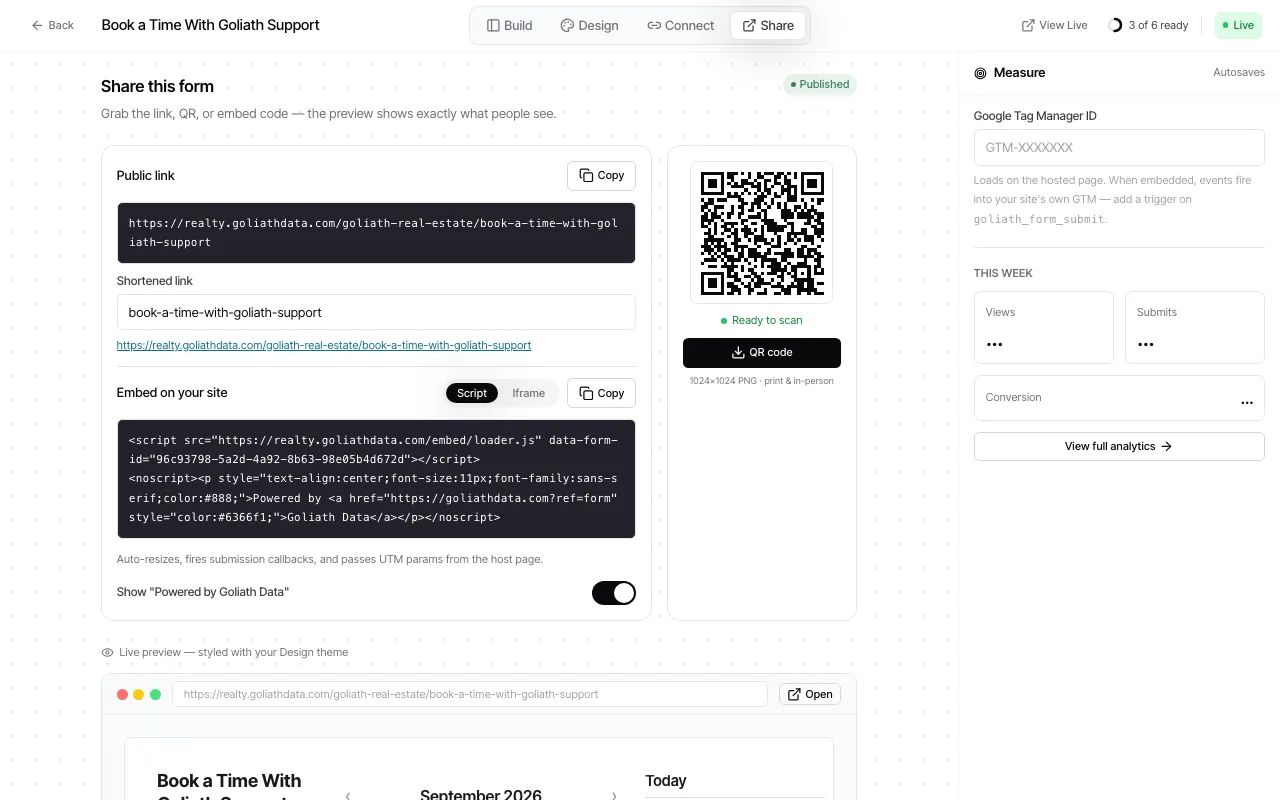
- Open the form’s Share step.
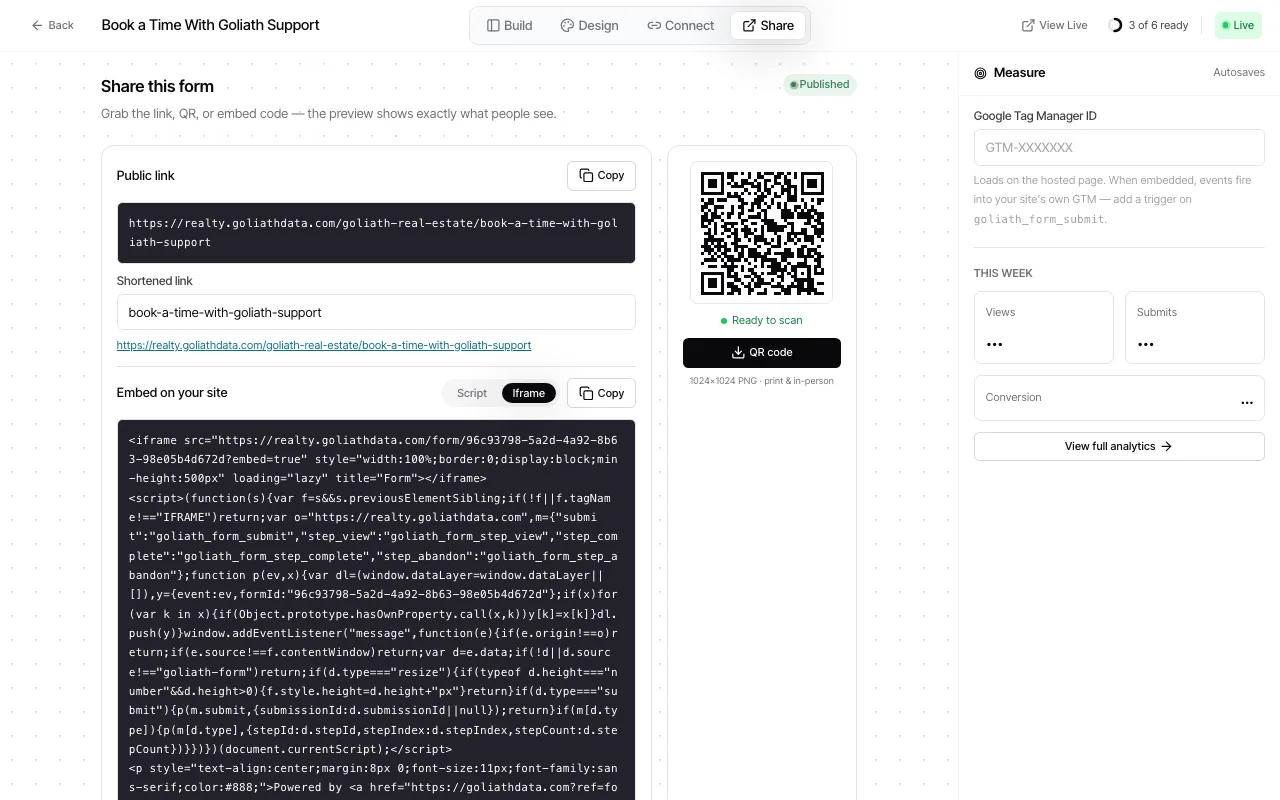
- Copy the hosted link when you want to share the form directly, or choose a script or iframe snippet when placing it on a site.
- Add the selected snippet to the page that should display the form, then test a submission before promoting the page.
The script embed loads Goliath’s embed loader. The iframe snippet includes a listener for form resize and supported submit/step events. Choose the option your site platform allows. The form’s share view can also show a branded short URL when one is configured.
Changing a shared slug can break existing shared links. Goliath asks for confirmation when that change would affect the current shared URL. Embed snippets are tied to the form ID, so they do not depend on the slug.
Use Forms and submissions to review submitted answers and consent flags.
Ask Goliath Reading: How Do I Share or Embed a Form?