
The Live Console
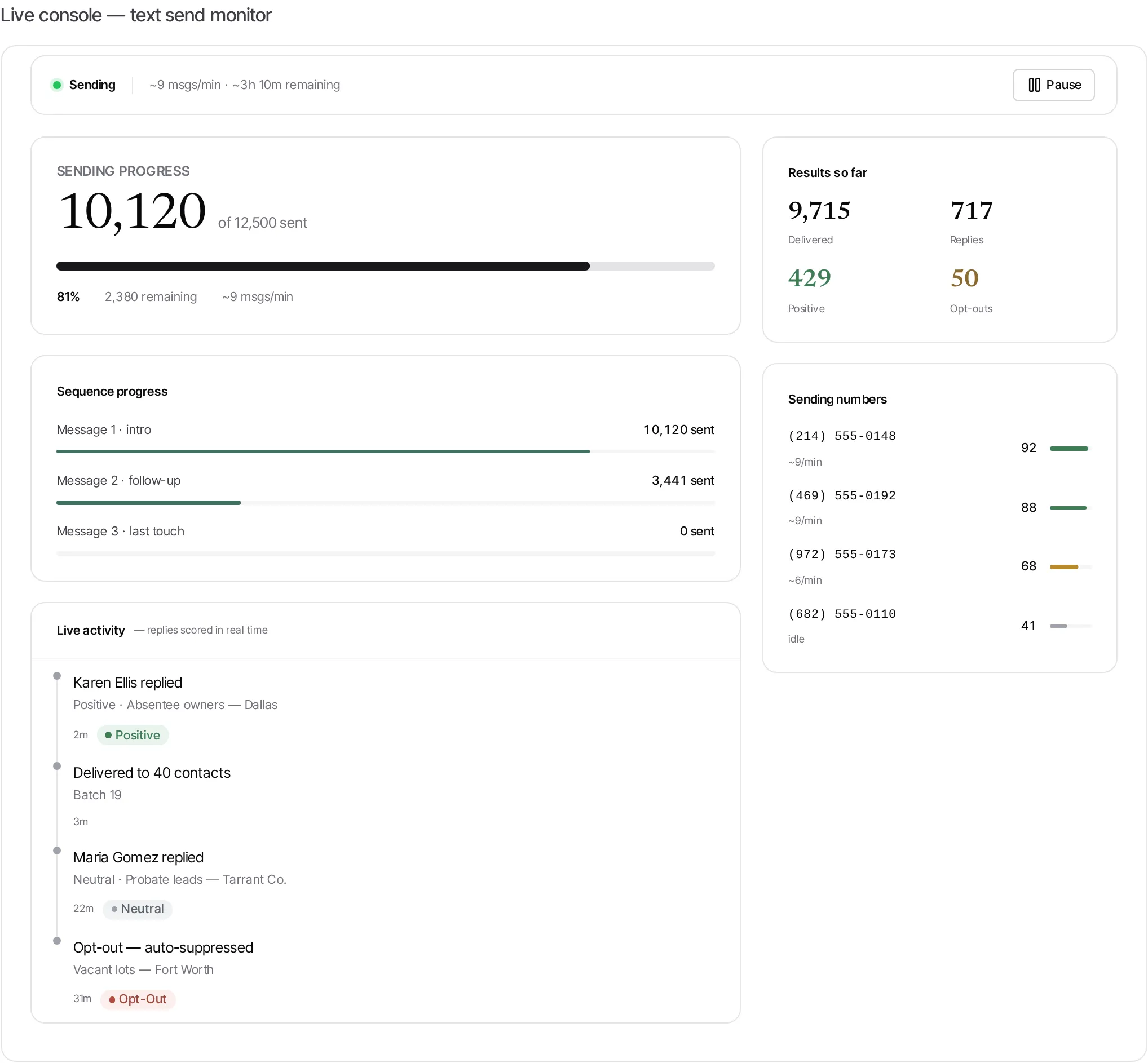
When a campaign is sending, its Live Console is the real-time cockpit — a live view of progress, results, and the health of every number, updating as the send runs. A teal Live pulse marks the feeds that are streaming.
What the console gives you
Section titled “What the console gives you”- Sending progress — a big count of messages sent against the total, a completion bar, how many remain, and the current send rate with an estimated time to finish.
- Sequence progress — how far each touch (intro, follow-up, last touch) has gotten through the list.
- Live activity — replies streaming in, each scored (Positive / Neutral / Negative / Opt-out) the moment it arrives — the AI’s work, visible in real time.
- Results so far — a running tally of Delivered, Replies, Positive, and Opt-outs.
- Sending numbers — each number’s throughput and a health meter, so you can spot a struggling number early.
Pausing and resuming
Section titled “Pausing and resuming”The console’s status bar has one control: Pause. It halts the send instantly, and the button flips to Resume. Use it if you spot a problem (a bad number, an unexpected reply pattern) and want to hold sends while you check.